




Most students know the feeling. You sit through a long lecture, write everything down as fast as you can, and still walk out convinced you missed something important. Then you look at your notes later and half of them do not make sense anymore. It is one of those problems that every generation of students has dealt with, but it does not have to stay that way.
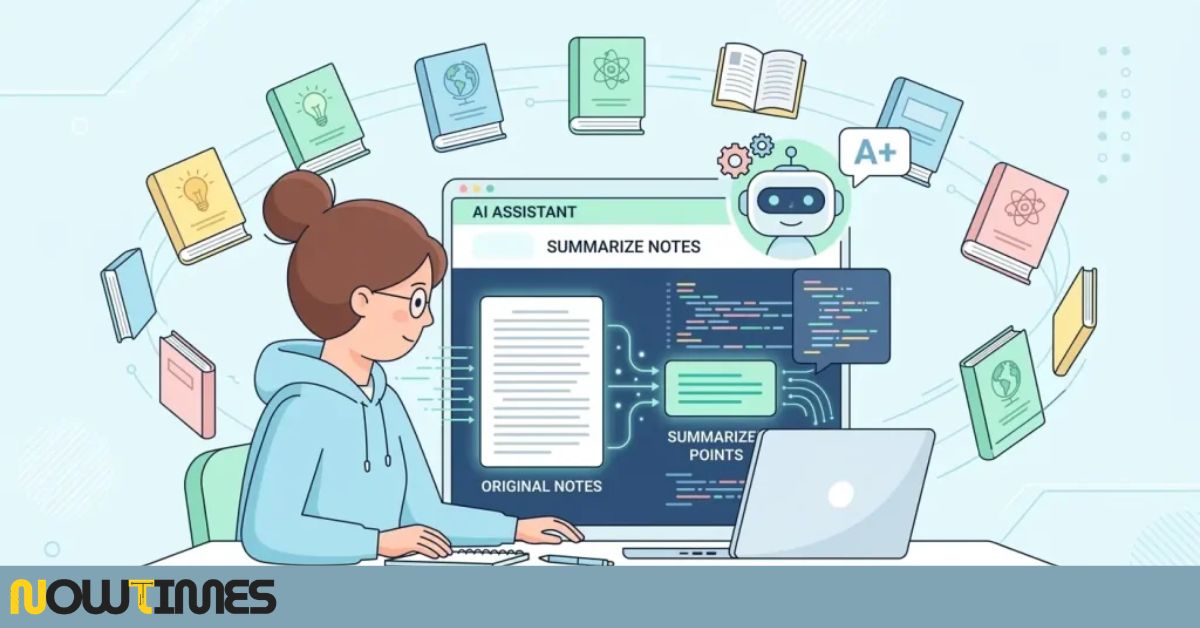
More and more learners are now turning to AI tools to create study notes automatically. These are software platforms that can listen to a lecture, read through a document, or process a set of rough notes and turn all of that into something clear, organized, and actually useful for studying. This is not about skipping the work of learning. It is about removing the part of studying that was never really teaching you anything — the mechanical task of transcribing and reordering information.
This guide explains how these tools work, which ones are genuinely worth your time, and how to build them into a study routine that actually helps you learn better.
1. What AI Study Note Tools Actually Do
It helps to start with a basic picture of what is happening when one of these tools processes your lecture or reading material.
For audio input — a recorded lecture or a live class session — the tool uses speech recognition to convert spoken words into a written transcript. Once that transcript exists, a language model reads through it, identifies the main themes and arguments, removes the filler and tangents, and groups related ideas together. The result is usually a structured set of bullet points, a concise summary, or an outline with clearly labeled sections.
For written input — a PDF, a textbook chapter, an article — the transcription step is skipped. The AI reads the text directly, identifies the key claims, definitions, examples, and supporting evidence, and condenses everything into a shorter, more focused version that is easier to work from.
Some tools go further than just summarizing. They can create flashcards based on your notes, write practice quiz questions, pull out key terms and definitions, and even organize everything
into a study plan. The underlying principle is the same across all of them: you provide the raw material, and the AI handles the sorting and organizing.


2. Why Students Are Finding These Tools Genuinely Useful
There are a few concrete reasons why AI note-taking has moved from a novelty into something a lot of students rely on regularly.
Your attention stays on the lecture, not on your notebook
Writing notes during a lecture splits your focus between listening and writing. You end up half-following what is being said while also trying to capture it on the page, and both tasks suffer as a result. When an AI is handling the transcription, you can actually follow the lecture as it happens. You engage with the ideas as they are presented, and then you go back to the organized notes afterward. For many students, comprehension improves noticeably when they are not trying to write and listen at the same time.
The quality stays consistent regardless of the subject
Your handwritten notes are probably much better when you are covering a topic you find interesting compared to one that bores you or one where the pace is too fast to keep up. AI tools do not have that problem. They apply the same level of care to a dense economics lecture as they do to a history seminar you genuinely enjoy. The consistency is one of the underrated practical benefits.
It opens up studying for learners who struggle with traditional note-taking
For students with dyslexia, ADHD, auditory processing difficulties, or other conditions that make manual note-taking genuinely hard, these tools are not just convenient — they are meaningfully helpful. Many universities actively recommend AI note-taking assistance to students who qualify for academic accommodations because it removes a real barrier to keeping up in class.
Revision becomes faster when the notes are already organized
Sitting down to revise from twelve pages of scattered handwriting two days before an exam is genuinely stressful. Working from a clear, structured summary that gets straight to the point is a
much better experience. The time you save on making sense of messy notes can go toward actually testing yourself on the material.
3. The Best AI Tools to Create Study Notes Automatically
There is no shortage of options here. Some are built specifically for students, others are general AI tools that happen to be very good for study purposes. These are the ones students consistently find most useful.
Otter.ai
Otter.ai is probably the most well-known tool for live lecture transcription. You open the app, hit record, and it produces a real-time written transcript as the lecturer speaks. After the session you can highlight the sections that matter most and generate a summary from those highlights.
It integrates with Zoom, Google Meet, and Microsoft Teams, which makes it particularly convenient for online classes. It can also identify different speakers, which helps when you are following a seminar or panel discussion. The free plan covers a reasonable number of minutes per month, and paid plans are available for heavier use.
Notion AI
Notion has been a popular productivity and note-taking tool for a while, and the AI features built into it make it considerably more useful for studying. You paste in raw notes or import a document, and you can ask Notion AI to summarize the key points, restructure the content into a cleaner format, generate a comparison table, or write a set of study questions from the material.
The main practical advantage is that your notes, schedules, reading lists, and AI summaries all live in one place. If you are already using Notion to organize your academic life, using the AI features feels like a natural extension rather than switching to a separate tool.
Claude and ChatGPT
Large language models like Claude (from Anthropic) and ChatGPT (from OpenAI) are among the most flexible options for creating study notes. You paste in a block of text from a lecture transcript, a reading, or your own rough notes, and ask the AI to produce whatever format you need — a short summary, a list of key definitions, a timeline of events, a comparison of two competing arguments, or a set of practice questions.
What makes these tools particularly effective is the conversational element. You can ask follow-up questions: ‘Can you explain that idea more simply?’ or ‘Give me an example of that concept in a real-world context.’ That kind of dialogue turns note review into something more active and more useful for retention.
Recall
Recall is built around the specific problem of remembering what you learn over the long term, not just right before an exam. You connect it to your reading sources — websites, PDFs, YouTube videos — and it automatically summarizes and organizes that content into a searchable personal knowledge base. It then uses spaced repetition to resurface older notes at optimal intervals so information does not fade between study sessions.
If you consume a lot of content alongside your formal coursework — research articles, educational videos, blog posts on your subject — Recall gives all of that a place to live where you can actually find and use it.
Glean
Glean is purpose-built for higher education. It records lectures, produces transcripts, and structures the output in a way that is designed for annotation and revision. It also includes built-in flashcard and summary tools that connect to the transcribed content. A number of universities have adopted it as an official accessibility tool, and it has a solid track record in real academic settings.
Elicit and Consensus
These two tools address a more specific need: finding and summarizing academic research. For university students and postgraduate researchers who need to review peer-reviewed literature, Elicit and Consensus can search through published papers and generate structured summaries of findings, methods, and conclusions. Instead of reading twenty papers to understand where a field currently stands, you can get a useful overview and then go deeper on the sources that are most directly relevant to your work.
If your gaming setup is giving you trouble, you might also find it helpful to read our PS Controller Not Working on PC Games Fix Guide (2026) for simple and practical solutions.
4. Practical Tips for Getting Good Results
Using these tools well takes a bit of thought. Here are the habits that make the most difference.
Use AI notes as a starting draft, not a finished product
The summary an AI produces is a foundation, not a final study resource. Read through it, add your own comments, connect the ideas to things you already know, and flag anything that seems incomplete or unclear. The act of doing this — rather than just saving the summary and forgetting it — is where actual learning takes place.
Be specific with your instructions
Most AI tools respond well to precise requests. Instead of just pasting in a document and asking for a summary, try something more targeted: ‘Summarize this in five points focusing on causes and effects,’ or ‘Write ten questions that test understanding of the main argument.’ The more clearly you explain what you need, the more useful the output tends to be.
Combine tools into a workflow
No single tool covers everything well. A practical approach might be to use Otter.ai for transcribing lectures, bring that transcript into Claude or ChatGPT for a structured summary, store everything in Notion, and use Recall to maintain long-term retention. Each tool has a specific role, and they work better together than any one of them does on its own.
Check important notes against the source material
AI tools are accurate most of the time, but they do occasionally miss nuance, simplify a complex argument more than they should, or get confused by technical terminology in specialized subjects. For anything you plan to rely on during an exam, cross-reference the AI summary with the original lecture notes or reading at least once.
5. Honest Answers to Common Concerns
Does using AI for notes make you a worse student?
Only if you let it replace thinking rather than support it. Saving an AI summary and never reviewing it is a waste of time. But using a summary as the base for active review — testing yourself, connecting ideas, asking questions — means you have simply removed a step that was not contributing much to your learning anyway. The goal is to have more mental energy available for the parts of studying that actually matter.
Is this allowed at my school?
Using AI to help take and organize personal study notes is generally permitted at most institutions. Using AI to write essays, complete assignments, or produce content you plan to submit as your own is a different matter and may breach academic integrity policies. Policies vary between schools and subjects, so check your institution’s guidelines and ask your instructor directly if you are uncertain.
How accurate are AI-generated study notes?
Accuracy is generally high for clear, well-written source material. It tends to be lower for content that is heavily technical, uses a lot of abbreviations, or is structured in an unusual way. For general coursework in subjects like law, history, business, or biology, AI summaries are reliable enough to be genuinely useful. For maths-heavy or highly specialized technical content, treat them as a supplement rather than a substitute for engaging with the source material directly.
6. Where Things Are Heading
The tools that exist right now are already a meaningful improvement over trying to keep up with a fast-talking lecturer by hand. The direction things are heading is even more interesting.
Multimodal AI — systems that can process audio, images, and text at the same time — will soon make it straightforward to generate notes from a lecture that includes diagrams drawn on a whiteboard, equations in a slide deck, and spoken explanation, all combined into a single organized document. That removes the last remaining gap in what automatic note creation can capture.
Personalized study notes are another direction worth watching. Future tools will likely build a model of your individual knowledge gaps over time and adjust what they emphasize accordingly. Rather than a generic summary of a lecture, you would get notes that highlight the specific concepts you are least confident in. That kind of targeted output would be considerably more useful than the one-size-fits-all approach that most tools use today.
None of this changes the fundamental reality that understanding material takes effort. What it does change is where that effort goes. The mechanical work of transcription and organization is not what builds understanding. Thinking about ideas, testing yourself, and applying knowledge is what does that. These tools are at their best when they take the mechanical work off your plate and give you more room for the rest.
Frequently Asked Questions
Q1: Are AI tools to create study notes automatically free to use?
A: Many of them offer genuinely useful free tiers. Otter.ai gives you a set number of transcription minutes each month at no cost. Claude and ChatGPT both have free versions that handle document summarization well. Notion AI is included on paid Notion plans. For most students, the free tiers of these tools are more than enough to figure out whether they suit your way of studying.
Q2: Can AI tools process handwritten notes or scanned pages?
A: Some can. Tools with OCR (optical character recognition) built in can convert scanned pages or photographs of handwritten notes into text before processing them. How well this works depends largely on how legible the handwriting is. For typed or printed text, accuracy is consistently high.
Q3: Which tool works best for students with long reading lists?
A: For students managing a lot of academic reading, combining Claude or ChatGPT for quick document summaries with Recall for long-term retention tends to work well. For postgraduate students or researchers who need to review peer-reviewed literature specifically, Elicit and Consensus are worth trying.
Q4: Do these tools work for technical subjects like maths or engineering?
A: They work better for text-based content than for equations and formal notation, though capabilities are improving. For the written explanations and context surrounding technical content, AI summaries are useful. For the equations and work problems themselves, you still need to engage with those directly.
Q5: How long does it take to generate a summary?
A: It is usually very fast. A transcript from a one-hour lecture typically takes a minute or two to summarize. A twenty-page document might take thirty seconds to a couple of minutes depending on the platform. The time saving compared to writing and organizing notes manually is significant.
Q6: Can I use these tools on a mobile phone?
A: Yes. Otter.ai, Notion, ChatGPT, and Claude all have mobile apps or responsive web versions that work well on a phone. Otter.ai is designed to be used on your phone during live lectures, recording audio and generating a transcript in real time.
Q7: Will relying on AI notes affect my ability to take news by hand?
A: Only if you stop practising entirely. Most students who use AI tools do not abandon manual note-taking altogether — they use AI for longer lectures and dense readings and still write by hand in smaller, more interactive sessions. Using both approaches is a reasonable balance that covers different types of learning situations.
Final Thoughts
Taking notes has always been a means to an end. The point is not to produce a perfect record of a lecture — it is to understand the material, remember it, and be able to use it. For a long time, the mechanical side of note-taking took up a lot of time and attention that could have gone toward the actual learning.
Using ai tools to create study notes automatically shifts that balance. It does not make studying effortless or remove the need to think. But it does remove a layer of friction that was not contributing much to understanding in the first place, and it gives you better-organized material to work from when you sit down to actually revise.
Pick one tool, use it consistently for a few weeks, and pay attention to whether things get easier. For most students who approach it thoughtfully, they do.
For More Information, Visit Nowtimes