




Grading is one of the most time-consuming parts of teaching. Any teacher who has spent a Saturday afternoon working through a stack of essays knows exactly how exhausting it can be — and that is just one class, one assignment. Multiply that across multiple classes, multiple subjects, and multiple weeks, and you start to understand why so many educators are paying close attention to AI tools for grading student assignments automatically.
This is not a futuristic concept anymore. These tools exist right now, they are being used in real classrooms, and they are genuinely changing how feedback gets delivered to students. But they are not magic, and they are not meant to replace teachers. What they can do is handle a lot of the repetitive, time-heavy work of evaluation — so educators can spend more of their energy on the parts of teaching that actually require a human being.
This article walks through what these tools are, how they work, which ones are worth your attention, what their real limitations are, and how to use them without losing what makes teaching personal. It is written for educators who want honest, practical information — not a sales pitch.
Why Grading Takes So Long — And Why That Matters
Before talking about solutions, it helps to understand the actual problem. Grading is not just about reading a paper and writing a number on top of it. Good feedback requires reading carefully, noting where a student went wrong, identifying what they understood correctly, deciding how much partial credit to give, and then writing something useful that the student might actually learn from.
For a class of 30 students, a thorough grading session for a single writing assignment can take anywhere from four to eight hours. For teachers who have 120 students across four or five periods — which is common in many school systems — that adds up quickly. Some teachers spend their entire weekends grading, week after week, throughout the school year.
The problem is not just teacher burnout, though that is real. The bigger issue is that delayed feedback is less useful feedback. A student who submits an essay on Monday and gets it back three weeks later with a grade and a few comments has already moved on. They are less likely to absorb or apply the feedback. Research in education consistently shows that faster feedback leads to better learning outcomes.
| Key InsightThe biggest educational argument for AI grading is not efficiency — it is feedback speed. When students get feedback within hours instead of weeks, they can actually use it while the material is still fresh in their minds. |
How AI Grading Tools Actually Work
There is a lot of vague talk about AI in education, so it is worth being specific about what these tools actually do under the hood.
Natural Language Processing
Most AI grading tools for written assignments use natural language processing, or NLP. This is the branch of AI that allows computers to read, understand, and analyze human language. When you submit a student essay to one of these tools, the NLP engine is doing things like checking grammar and mechanics, analyzing sentence structure and paragraph flow, evaluating whether the argument is coherent, and identifying whether the student addressed the prompt.


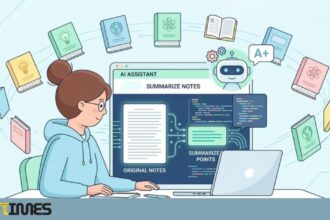
Modern NLP systems have become remarkably sophisticated. They do not just count keywords — they can understand context, identify whether a claim is supported by evidence, and detect whether a response is substantive or superficial.
Rubric-Based Evaluation
Most serious grading tools allow teachers to input a custom rubric. The AI then evaluates each student submission against the specific criteria in that rubric — rather than applying a generic standard. This is important because what makes a strong lab report in a chemistry class is very different from what makes a strong persuasive essay in an English class.
When you build a clear, detailed rubric in these systems, the quality of the AI feedback goes up significantly. The rubric is essentially the instruction manual that tells the AI what to look for.
Machine Learning and Training Data
Underlying all of this is machine learning. These systems were trained on enormous datasets of previously graded student work — thousands or even millions of examples across different subjects and grade levels. Over time, the models learned what a high-scoring response looks like versus a low-scoring one, and they apply those learned patterns to new submissions.
The Best AI Tools for Grading Student Assignments Automatically
There are several tools worth knowing about. They differ in focus, grade level, and features, so the right one depends on what you teach and what you need.
Gradescope
Gradescope is widely used in higher education and is one of the more thoughtfully designed tools available. It handles handwritten work, typed documents, coding assignments, and scanned exams. One of its standout features is AI-assisted grouping — the system identifies student responses that are similar and lets you apply the same feedback to all of them at once. This is a genuine time-saver for instructors with large classes. Gradescope also includes rubric building, analytics, and peer review features.
Turnitin Feedback Studio
Turnitin is best known for plagiarism detection, but its Feedback Studio has grown into a full feedback and grading tool. Teachers can set rubrics, leave voice or text comments, and see AI-generated writing feedback alongside their own. It integrates with most learning management systems including Canvas, Blackboard, and Moodle, which makes adoption easier for institutions already using those platforms.
Writable
Writable is designed specifically for writing instruction, particularly in K-12 settings. It gives students real-time AI feedback on grammar, argument structure, and organization while they are still writing — not just after they submit. For teachers, it provides a class-wide dashboard showing common issues across all student papers, which makes it easy to decide what to reteach the following day.
Cognii
Cognii takes a somewhat different approach. Rather than simply evaluating a finished submission, it uses conversational AI to engage students in a back-and-forth dialogue after they submit a response. If a student’s answer is incomplete or incorrect, the system asks follow-up questions to prompt deeper thinking. This makes it less of a pure grading tool and more of a formative assessment assistant.
EssayGrader
EssayGrader is a simpler, more accessible tool that is useful for teachers who want to get started with AI grading without a steep learning curve. You upload a rubric, upload the student submissions, and the tool produces scores and feedback for each one. It supports bulk grading and lets teachers review and edit the AI output before sharing it with students.
Custom GPT-Based Workflows
Some teachers have built their own informal grading systems using large language models like GPT-4. By writing a detailed prompt that includes the assignment description, the rubric, and the student’s submission, they can get structured, rubric-aligned feedback from the model. This requires more setup and technical comfort than a purpose-built tool, but it gives teachers more flexibility in how they structure the evaluation.
Real Benefits That Are Worth Talking About
The benefits of using AI tools for grading student assignments automatically are concrete and well-documented among educators who have actually used them. Here is what the evidence and firsthand experience point to
Dramatically Faster Turnaround
This is the most obvious benefit, and it is real. What might take a teacher six hours to grade can often be processed by an AI system in minutes. Even when teachers review the AI output and make edits — which they should — the total time required is a fraction of what it would be without AI assistance.
Consistent Evaluation Across All Students
When a human grades 30 essays in a row, fatigue sets in. The tenth essay and the thirtieth essay are not being evaluated with the same level of attention. AI does not get tired. It applies the same rubric criteria to submission number one and submission number thirty with identical consistency. For students, this means their grade is less likely to be influenced by factors that have nothing to do with the quality of their work.
Actionable Data for Teachers
Most AI grading platforms generate analytics reports that show teachers patterns across the whole class. Which learning objective did 60 percent of students miss? Which type of evidence are students failing to include? These insights are genuinely useful for instructional planning — and they would take hours to compile manually from a stack of paper submissions.
Students Get Feedback They Can Use
When a student receives AI-generated feedback within a few hours of submitting, they are still thinking about the assignment. They can read the feedback, understand it, and actually revise their work. When feedback comes back three weeks later, most students look at the grade, maybe skim the comments, and move on. The pedagogical value of fast feedback is hard to overstate.
Honest Limitations You Should Know About
No tool is perfect, and AI grading tools have real limitations. Any educator considering these tools should go in with clear eyes.
Creative and Higher-Order Thinking Is Hard to Evaluate
AI systems are very good at evaluating structure, mechanics, and whether specific criteria were addressed. They are not good at recognizing when a student has done something genuinely original, challenged a premise in a sophisticated way, or made a creative leap. An unconventional but brilliant essay might score lower than a formulaic but technically correct one. Teachers need to stay involved whenever assignments require deep critical or creative thinking.
Students Can Learn to Game the System
Once students figure out what an AI grading tool rewards — certain sentence structures, specific buzzwords, a particular format — some of them will optimize for those things rather than for actual understanding. This is not purely hypothetical. It happens, and it is worth designing assignments in ways that make pure algorithmic optimization harder.
Potential for Bias in the Model
AI grading tools were trained on existing student work, which reflects existing inequalities in education. If the training data skewed toward students from certain backgrounds or writing in highly formal academic English, the model may give lower scores to students who write in other dialects or use different cultural references — even when those responses are substantively correct. This is a genuine equity concern that educators should monitor.
Data Privacy Is Not a Small Thing
When you upload student work to a third-party AI platform, you are sharing sensitive educational data. Schools need to check whether these tools comply with FERPA, COPPA (for younger students), and any applicable state-level privacy laws. Many tools do have compliant data practices, but this is something to verify before adopting any platform.
| Before You Sign UpAlways check whether a grading tool has signed a FERPA-compliant data processing agreement. Reputable platforms will make this documentation easy to find. If it is not clearly stated, ask before uploading any student work. |
How to Use AI Grading Tools Without Losing the Human Element
The teachers who get the most out of AI grading tools are the ones who treat them as an assistant, not a replacement. Here is what that looks like in practice.
- Start with low-stakes assignments. Use AI grading first for formative quizzes, rough drafts, or practice submissions — not for final high-stakes grades. This gives you a chance to calibrate the tool and catch any patterns you disagree with before it matters.
- Always review what the AI produces. AI-generated feedback should be the starting point, not the end point. Spot-check a sample of submissions each time, and always review any cases the system flags as unusual or borderline.
- Tell your students when AI is involved. Transparency builds trust. Students deserve to know when their work is being evaluated by an automated system, what that means for their grade, and how to give feedback if they think the evaluation was wrong.
- Invest in a good rubric. The better your rubric, the better the AI performs. Vague rubric criteria produce vague, unhelpful AI feedback. Specific, measurable criteria give the tool something concrete to work with.
- Keep high-stakes grading human. Midterm exams, final projects, and anything that significantly affects a student’s grade should involve direct human review. Use AI to assist with the volume problem, not to make the final call on high-stakes assessments.
- Watch for patterns that suggest bias. If certain groups of students are consistently receiving lower AI scores than peer review or your own judgment would suggest, investigate. The problem may be with the tool, or it may point to something in how assignments are structured.
What the Research Actually Says
The evidence on automated grading tools is growing. Studies published in education and educational technology journals have found that AI grading tools can achieve moderate to high correlation with human grader scores on structured writing tasks, particularly when rubrics are clearly defined. The correlation tends to be lower for open-ended creative or argumentative writing.
Research also consistently supports the feedback timing argument. Students who receive feedback within 24 hours of submission tend to perform better on subsequent assignments than those who wait longer. This is one area where AI grading tools have a clear structural advantage over traditional human-only grading at scale.
However, researchers also note that students who receive AI-only feedback without any human component tend to trust it less and engage with it less deeply. The combination of AI feedback plus brief human commentary — even just a sentence or two from the teacher — appears to produce better outcomes than either approach alone.
Looking Ahead: Where This Technology Is Going
AI grading tools are improving quickly. The current generation is reasonably good at structured writing tasks and objective assessments. The next generation will likely be better at nuanced evaluation, more capable of detecting sophisticated argumentation, and more tightly integrated with learning management systems.
There is also growing interest in tools that go beyond grading to include personalized follow-up — systems that not only evaluate a submission but generate tailored practice questions or resources based on what the student got wrong. This is essentially AI tutoring that is triggered by grading data.
What will not change is the core reality that teaching is a human endeavor. The relationship between a teacher and a student — the encouragement after a failure, the recognition of progress, the decision to give a student a second chance — is not something any AI system can replicate. The best outcome is a future where AI handles the volume and the mechanics, and teachers have more time for the parts of their work that actually require them to be human.
Frequently Asked Questions (FAQs)
Q1. Are AI grading tools accurate enough to use for final grades?
For objective assessments like multiple-choice or short-answer questions, AI grading tools can be highly accurate. For written assignments, accuracy depends heavily on how well the rubric is written and the nature of the task. Most experts recommend using AI grading for formative assessment and drafts, and reserving final grade decisions for human review — especially for high-stakes evaluations.
Q2. Will AI grading tools replace teachers?
No, and that is not what they are designed for. These tools handle the mechanical, repetitive parts of grading — checking whether criteria were met, flagging grammatical errors, scoring structured responses. They cannot evaluate a student’s growth over time, recognize when a student is struggling emotionally, or make pedagogical decisions. The role of the teacher becomes more focused on interpretation, mentorship, and instruction.
Q3. Is it ethical to use AI to grade student work without telling them?
Most education ethics guidelines and many school data privacy policies require transparency when AI is used in assessment. Beyond the legal dimension, telling students is simply the right approach. Students should understand how their work is being evaluated, and they should have a way to raise concerns if they believe the AI assessment was unfair.
Q4. Which AI grading tool is best for K-12 teachers?
Writable is specifically built for K-12 writing instruction and is one of the most teacher-friendly options. Gradescope works well for STEM subjects and lab-based courses. For general writing feedback across grade levels, EssayGrader is a good starting point because of its straightforward setup.
Q5. How do AI grading tools handle students who write in dialects other than standard academic English?
This is a genuine limitation. Some tools perform better than others, but most AI grading systems were trained primarily on formal academic English. Students who write in African American Vernacular English, regional dialects, or non-native English may receive evaluations that penalize stylistic differences that do not reflect the quality of their thinking. Teachers should monitor for these patterns and adjust accordingly.
Q6. Can AI grading tools detect AI-generated student work?
Some platforms, like Turnitin, include AI detection features alongside their grading tools. These detectors are not perfect — false positives and false negatives both occur — but they give teachers a flag to investigate further. AI detection is a separate function from grading, and the two should not be conflated.
Q7. Do AI grading tools work for subjects other than English and writing?
Yes. Gradescope is widely used in STEM fields for grading math problems, coding assignments, and science labs. Some platforms handle multiple-choice, short-answer, and fill-in-the-blank questions across any subject. The range of subjects supported varies by tool, so it is worth checking a platform’s documentation before committing.
Final Thoughts
The growing availability of AI tools for grading student assignments automatically is genuinely good news for educators who are drowning in marking. These tools are not a gimmick, and they are not science fiction. They are working in real classrooms right now, saving teachers real hours, and giving students faster feedback that they can actually use.
At the same time, they are not a complete solution. They work best as one part of a thoughtful assessment system, not as a replacement for teacher judgment. Used carefully, with proper rubrics, transparency with students, and ongoing human review, AI grading tools can meaningfully improve the quality and efficiency of assessment in ways that benefit everyone in the classroom.
The teachers who will benefit most from these tools are not the ones who hand everything over to the algorithm. They are the ones who stay in the driver’s seat, use AI to handle the parts of grading that do not require their expertise, and redirect that freed-up time toward the parts of teaching that do.
For More Information, Visit Nowtimes