
Sign In
  • U.S.
  • International
  • Canada
  • Espau00f1ola
The NowTimes – Breaking News, Trends & Trusted Updates
  • Home
  • NewsBreaking
    • World
  • Business
  • Finance
  • TechnologyAI
  • GamingDaily
  • HealthWellness
  • Entertainment
  • My Bookmarks
Reading: How to Fix Lag in Online Multiplayer Games
Share
The NowTimes – Breaking News, Trends & Trusted UpdatesThe NowTimes – Breaking News, Trends & Trusted Updates
0
Font ResizerAa
  • World
  • Travel
  • Opinion
  • Science
  • Technology
  • Fashion
Search
  • Home
    • Home 1
    • Home 2
    • Home 3
    • Home 4
    • Home 5
  • Categories
    • Technology
    • Opinion
    • Travel
    • Fashion
    • World
    • Science
    • Health
  • Bookmarks
  • More Foxiz
    • Sitemap
Have an existing account? Sign In
Follow US
© 2022 Foxiz News Network. Ruby Design Company. All Rights Reserved.
The NowTimes – Breaking News, Trends & Trusted Updates > Blog > Gaming > How to Fix Lag in Online Multiplayer Games
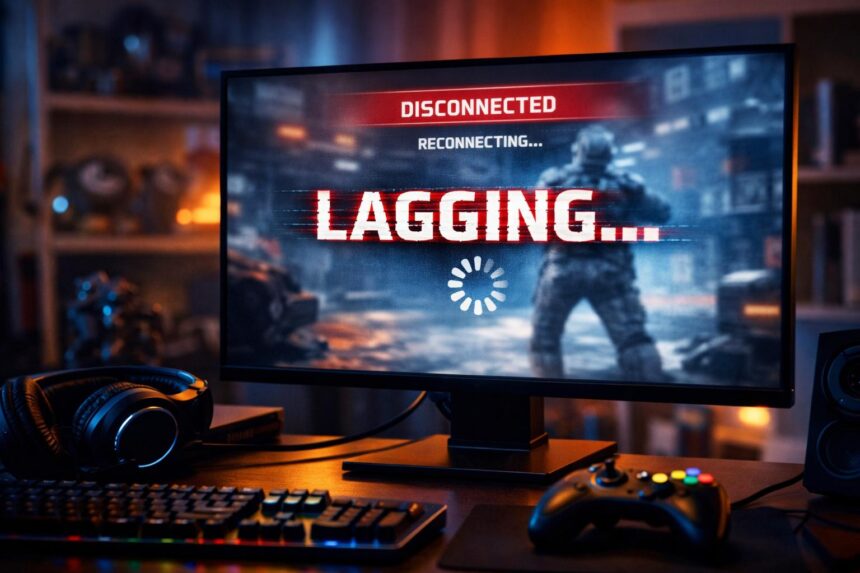
Gaming PC monitor showing a frozen game screen with glitchy 'LAGGING' and 'DISCONNECTED' indicators, surrounded by headset, controller, and RGB keyboard, illustrating online multiplayer game lag.
Gaming

How to Fix Lag in Online Multiplayer Games

Staff Writer
Last updated: February 1, 2026 11:38 pm
Staff Writer
Share
SHARE

Lag in online multiplayer games can ruin the entire experience. A delayed response, broken movement or sudden freezing often means the problem is not the game itself but your connection or system setup.

Contents
  • Check Your Internet Connection First
  • Reduce Network Latency and Packet Loss
  • Optimize In-Game Settings
  • Update Network and Graphics Drivers
  • Check Your Hardware Limits
  • Configure Router Settings for Gaming
  • When the Problem Is the Game Server
  • Final Thoughts

This guide explains how to fix lag in online multiplayer games using practical steps that actually work without myths or filler.

Online gaming depends on stable data transfer between your device and the game server. Any interruption along that path creates lag. Understanding where the issue starts is the key to solving it.

Check Your Internet Connection First

Your internet connection is the foundation of online gaming performance. Speed alone is not enough. Stability matters more.

Start by restarting your router and modem. This clears temporary network congestion and resets the connection path.

If possible use a wired Ethernet connection instead of WiFi. Wired connections are more stable and have lower delay.

If multiple people are using the same network ask them to pause streaming or large downloads while you are gaming. Shared bandwidth is one of the most common causes of lag.

Reduce Network Latency and Packet Loss

Latency is the time data takes to travel from your device to the game server and back. Packet loss happens when some data never reaches its destination.

You can reduce latency by selecting the closest server region in the game settings. Many games automatically choose a server but manual selection often gives better results.

Avoid using VPN services while gaming unless absolutely necessary. VPNs reroute your traffic and usually increase delay. Also disable background apps that use the internet such as cloud backups or auto updates.

Optimize In-Game Settings

High graphics settings can overload your system and cause frame drops that feel like lag.

Lower settings such as shadows, reflections and motion effects. Reducing resolution slightly can also improve performance without hurting visual quality too much.

Enable performance or low latency modes if your game offers them. These settings are designed to prioritize responsiveness over visuals which is critical in multiplayer games.

Update Network and Graphics Drivers

Outdated drivers can cause connection instability and performance issues.

Update your network adapter drivers and graphics drivers from the official manufacturer website. Driver updates often include bug fixes and performance improvements specifically for online games.

Also make sure your operating system is fully updated. System level networking improvements can directly affect online gameplay.

Check Your Hardware Limits

Sometimes lag is not caused by the internet at all. If your system hardware struggles to keep up the game will stutter.

Monitor CPU and memory usage while playing. If either is consistently maxed out, close unnecessary applications. On older systems upgrading RAM or switching to an SSD can significantly improve performance.

For console players make sure enough storage space is free and the system is not overheating.

Configure Router Settings for Gaming

Modern routers include features that help gaming traffic.

Enable Quality of Service if available and prioritize your gaming device. This ensures your game data is sent first even when the network is busy.

Place your router in an open area away from walls and interference. Physical placement directly affects signal stability especially for wireless connections.

When the Problem Is the Game Server

Sometimes lag is completely out of your control.

If many players are reporting issues it may be a server side problem. Check official game forums or social media updates. In these cases the only solution is to wait until the developers resolve it.

Staying informed through reliable gaming news sources like Nowtimes can help you quickly identify whether an issue is local or global.

Final Thoughts

Learning how to fix lag in online multiplayer games requires a mix of connection optimization system tuning and realistic expectations. Focus on stability first then performance then hardware.

By applying these steps you can significantly reduce lag and enjoy smoother more competitive online matches without frustration.


Subscribe to Our Newsletter
Subscribe to our newsletter to get our newest articles instantly!
TAGGED:improve online game performancelag in online multiplayer gameslow ping gaming guideoptimize gaming settingsreduce gaming lagtroubleshoot game lag
Share This Article
Email Copy Link Print
ByStaff Writer
Follow:

Noah Miller is a staff writer at NowTimes, covering technology and gaming news, trends, and updates.

Previous Article The Sims 4 multiplayer question illustration showing single player gameplay and missing multiplayer features Is The Sims 4 a Multiplayer Game? Clear Answer for Gamers
Leave a Comment

Leave a Reply Cancel reply

Your email address will not be published. Required fields are marked *

Editor's Pick

The Best Wireless Gaming Headsets in This Year

As for quality, the HS80's provided clear-cut sound with adequate bass and a slight emphasis on the mid-range, making those…

4.8 out of 5Good
5 Tips for Charging an Electric Vehicle More Easily

Politics is the art of looking for trouble, finding it everywhere, diagnosing…

4 Min Read
Google Must Allow Developers to Use Other Payment Systems

Modern technology has become a total phenomenon for civilization, the defining force…

4 Min Read

Top Writers

Staff Writer 2 Articles
Noah Miller is a staff writer at NowTimes, covering technology...
Editorial Desk 1 Article
Responsible for curating, editing, and publishing accurate and engaging news...

Oponion

For Fed’s Approval Rating to Go Up, It’s Obvious What Needs to Go Down

And then there is the most dangerous risk of all,…

September 18, 2021

Protecting Yourself Against Excessive Blue Light

Modern technology has become a total…

August 31, 2021

Here Are the 4 Cheapest Electric Vehicles You Can Buy

Modern technology has become a total…

August 31, 2021

MacBook Pro M1 Review- Why You Might Want To Pass

I have been using my new…

The Best Wireless Gaming Headsets in This Year

As for quality, the HS80's provided…

You Might Also Like

The Sims 4 multiplayer question illustration showing single player gameplay and missing multiplayer features
Gaming

Is The Sims 4 a Multiplayer Game? Clear Answer for Gamers

Many players ask whether The Sims 4 allows multiplayer gameplay. The confusion usually comes from mods online features and comparisons…

4 Min Read
The NowTimes – Breaking News, Trends & Trusted Updates

News

  • World
  • Advertise

Technology

  • Innovate
  • Gadget
  • PC hardware
  • Review
  • Software

Health

  • Medicine
  • Children
  • Coronavirus
  • Nutrition
  • Disease

Culture

  • Stars
  • Screen
  • Culture
  • Media
  • Videos

More

  • Fashion
  • Travel
  • Opinion
  • Science
  • Health

Subscribe

  • Home Delivery
  • Digital Subscription
  • Games
  • Cooking

© 2026 NowTimes Media Group. All Rights Reserved.

Join Us!
Subscribe to our newsletter and never miss our latest news, podcasts etc..
Zero spam, Unsubscribe at any time.
Welcome Back!

Sign in to your account

Username or Email Address
Password

Lost your password?